Showing posts with label garden digital art. Show all posts

Friday, October 31, 2014

Long Island Landscape: All the Colors of Fall

"Autumn is a second spring when every leaf is a flower."~ Albert Camus 
Sometimes the simplest of things in life are best.  Enjoy all the colors of fall! 
 Echinacea 'Cheyenne Spirit'
 Coral Bark Maple
Astilbe and Lamb's Ear
Montauk Daisies
 Woodland Path Autumn
Goldenrod
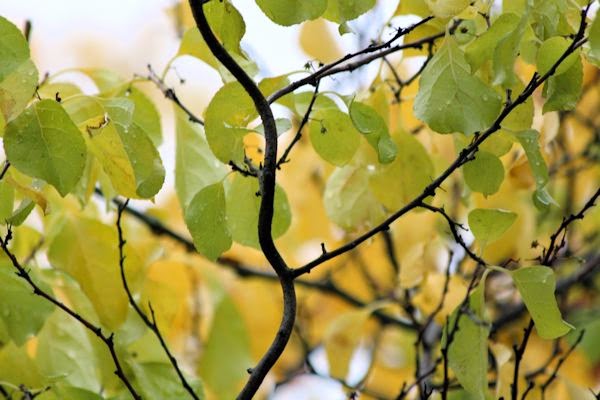
 Autumn Foliage
Ornamental Grasses
                 Tree Bark Pumpkin and Fall Mums
Fall Mums     
 
Seed Pods
         Mill Pond Autumn Colors
Mill Pond Autumn Colors
Mill Pond Autumn Colors 
  Visiting Swans

Swans at Mill Pond
Fall Foliage
Autumn Sunset Long Island (View of North Fork)
Pale amber sunlight falls across
The reddening October trees....
Are we not better and at home
In dreamful Autumn, we who deem
No harvest joy is worth a dream?
A little while and night shall come,
A little while, then, let us dream...


~Ernest Dowson, "Autumnal"


Linking up with Floral Friday Fotos and Today's Flowers.


As Always...Happy Gardening and Happy Halloween!


Author: Lee@A Guide To Northeastern Gardening, Copyright 2014. All rights reserved

Sunday, May 26, 2013

The Beauty of a May Garden: Nature's Work of Art

 "May and June. Soft syllables, gentle names for the two best months in the garden year: cool, misty mornings gently burned away with a warming spring sun, followed by breezy afternoons and chilly nights. The discussion of philosophy is over; it's time for work to begin."
- Peter Loewer
  
Ajuga reptans
    Spring this year has been an array of mixed temperatures combined with harsh rains and gusty cool winds but the gardens are all in bloom with an abundance of May color.  I decided to take things a step further and look deeper into the art of the spring garden. 
Azalea
 The garden is like a painting with many textures and colors.   The simplicity of this azalea flower stands out against  the background of its deep green foliage.

Coral Bark Maple & Golden Oriental Spruce

The delicate foliage of the Coral Bark Maple and soft bottle-brush limbs of the Golden Oriental Spuce are exquisite with their varying textures.
The garden boy sits quietly in the nook of the garden.

I used a couple of techniques on this photo of a single hosta to bring out the uniqueness of its foliage.
Weeping Japanese Maple
The cascading Weeping Japanese Maple in the front yard is a work of art in itself with its delicate light green foliage and twisted nature of its trunk..
Nepeta 'Walker's Low'
 I took this photo while a gentle breeze was blowing and then used an oil filter to bring out the softness and motion of the foliage of the hosta and nepeta in the back garden.  
Purple Bearded  Iris
Iris...a simple but yet sophisticated flower makes such a statement!
Spirea Double Play 'Big Bang'
My new Spirea Double Play displays such a beautiful variation of color throughout its foliage that the digital art really brings it out...
Stachys (Lamb's Ear')
and the soft delicate foliage of the Lamb's Ear highlights the garden border.
 
The May garden is really nature's palette...a work of art which I have grown to appreciate more than I could have possibly imagined.  Through the eye of a camera and some digital art the garden comes even more alive and one can appreciate its true beauty.
 
As Always...Happy Gardening!

Author: Lee@A Guide To Northeastern Gardening, Copyright 2013. All rights reserved
Friday, March 22, 2013

Digital Garden Art: Part II With Adobe Photoshop

Ruffled Daylily Artistic Brush Stroke with Ink Outlines
 I finally made the move to purchase Adobe Photoshop and have been enjoying learning how to produce some digital art from my garden photos.  It is going to take some time to learn all the program has to offer and I am anticipating taking many new photos to work from.  Just when I thought my appreciation for the art of nature could not be any greater I am now enjoying the beauty of the garden through yet a different medium. 
Coneflower Adobe Photoshop Artistic Dry Brush
 I am using a variety of techniques including dry brush strokes, angled and crosshatch strokes, ink outlines and blurs to soften the effects. This Coneflower is a photo that I took at Old Westbury Gardens. I applied an Artistic Dry Brush Stroke to achieve this effect. 
Dahlia Adobe Photoshop Dry Brush
 This Dahlia photo was taken at the Planting Fields Arboretum last summer. It was also created with Artistic Dry Brush.   Dahlias have a lot of structure to begin with so this was an easy flower to work with.
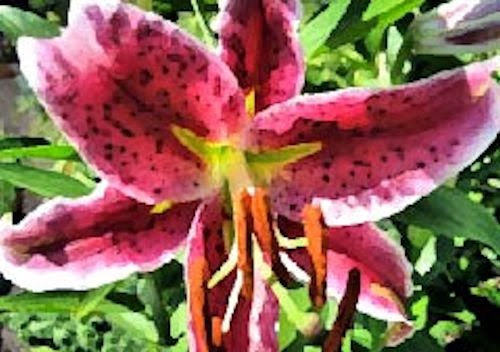
Stargazer Lillium Adobe Photoshop Dry Brush Gaussian Blur
Artistic Dry Brush Sponge and Gaussian Blur were used to create the softer look of this Stargazer Lillium from my home garden ...

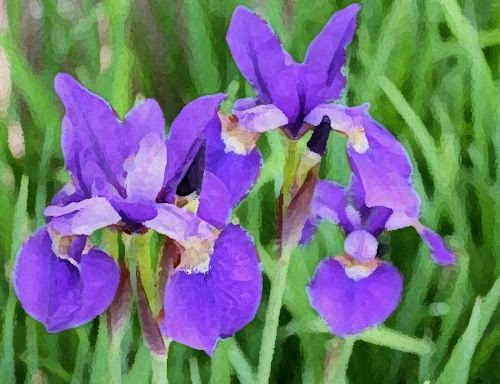
Japanese Iris Adobe Photoshop Artistic Sponge

as well as this Japanese Iris. The sponge tool gives more of a watercolor appearance to the photograph.
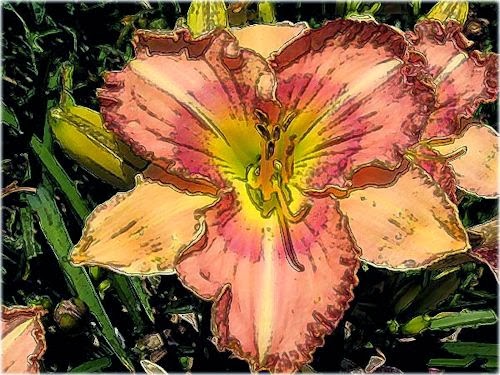
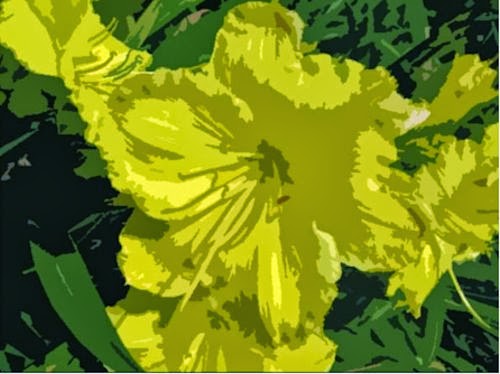
Daylily Adobe Photoshop Artistic Dry Brush

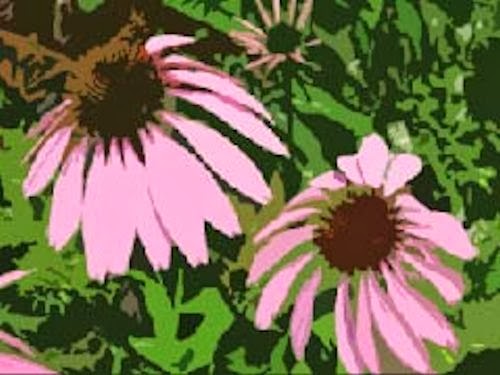
Photographs of the Daylily (above) and Coneflower (below) were also taken at Old Westbury Gardens. I used the Dry Brush and Cut Out tools but then altered the brush stroke size to get the look I wanted. 
Coneflower Adobe Photoshop Artistic Dry Brush Cut Out
The peony (below) is a favorite bloom in my personal garden. The photograph has been created using the Filter Oil Painting Application.  Thanks to Donna at GWGT and my graphic designer cousin I learned this part of the program and am hooked!
Peony Adobe Photoshop Filter Oil Painting (Newly Added)
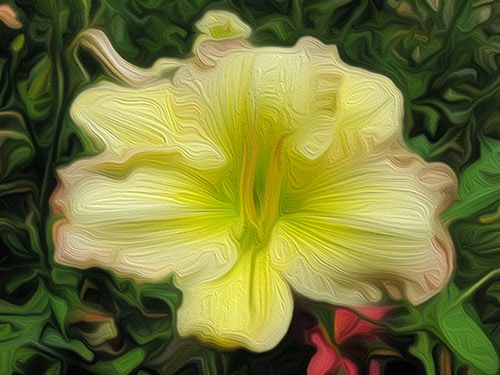
This is a Ruffled Daylily from Planting Fields Arboretum with the Filter Oil Paint Application. 
Daylily Photoshop Filter Oil Paint Application (Newly Added)

Here is the same coneflower as above with the Filter Oil Paint Application.
Coneflower Adobe Filter Oil Paint (Newly Added)
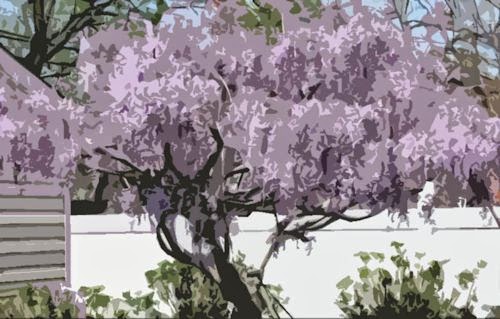
Last but not least is the Wisteria in my backyard created using the Artistic Dry Brush-Cut Out Brush Stroke.
Wisteria Adobe Photoshop Artistic Dry Brush Cut Out

I have found the Artistic tools to be my favorites so far but this is just the very beginning of my venture.  Next it is onto layering several photos onto one which I have been told is a challenge and may take extensive reading of my Adobe book.  I am enjoying my newest indoor hobby of transforming the beauty of nature into digital art while the weather outside is freezing but will be soon venturing back into the garden. Thanks to all the wonderful digital artists out there who have inspired me to give this a try. 

As Always...Happy Gardening!
 
Author: Lee@A Guide To Northeastern Gardening, Copyright 2013. All rights reserved


Saturday, February 23, 2013

The Garden in a Different Light: Digital Art

Purple Coneflower
It is 38 degrees and raining outside in my northeastern garden and thoughts of gardening are going through my mind. Inspired by some of my fellow bloggers, I thought I would put a new twist on some of my garden photographs and am trying my hand at some digital art to pass the day. I mainly used the brush stroke tool and then either softened or enhanced certain portions of each photograph. On some of the imaging I filled in with additional color and used a marbleizing effect on the corners. I have had this editing software for some time now and am still learning that there is much to explore!
'Stella D Oro' Daylilly
Aster
Painted Lady Butterfly on Coneflower
Coreopsis 'Zagreb'
Cottage Garden
Dahalia
Grasses and Daylilies
Roseanne Geranium
Hydrangea 'Pink Elf'
'Star' Magnolia Blossom
Peony
Ruffled Daylily

Thanks for stopping by and I hope you enjoyed my garden "in a different light".   This digital artwork is fun but challenging.    I will keep practicing and know I have much to learn so any comments or editing tips would be appreciated!

As Always...Happy Gardening


Author: Lee@A Guide To Northeastern Gardening, Copyright 2013. All rights reserved